To increase the ease of use of Mass General Brigham applications in LDA, standards have been defined for functionality that is similar from one application to another. In addition, some entries (dates in particular) must follow the formatting required by LDA.
Dates
LDA requires date entries to be 10-digit, including leading zeros for single-digit months and days. The date must be entered with the 4-digit year first, followed by the 2-digit month and 2-digit day, separated with hyphens. When documenting requirements, always include the date formatting in the label for a date entry field. For example, when defining requirements for a query, the labels for the date range should be defined like this:
Start Date (YYYY-MM-DD)
End Date (YYYY-MM-DD)
See Insight Query Field examples
Gender
For searches based on demographics, include the options for gender (female, male, unknown) when including this in the criteria:
Gender (F, M, U)
See Search Criteria Entry Field examples
Searches on patient-based data
See Search Criteria Entry Field examples
Menu item label |
Selection criteria labels |
Columns in results table (in left to right order) |
Comments for LDA developer |
Data source |
Partners Patient Search |
Last Name First Name DOB (YYYY-MM-DD) Gender (F, M, U) Site |
MRN, Patient Name, Gender, Home Phone, Date of Birth, Status, Site |
Use Partners Standard |
EMPI |
Partners MRN Search |
MRN Site |
MRN, Patient Name, Gender, Home Phone, Date of Birth, Status, Site |
Use Partners Standard |
EMPI |
Vendor Patient Search |
Last Name First Name DOB (YYYY-MM-DD) |
MRN, Patient Name, Gender, DOB, Confidential |
Vendor terminology when differing from label (e.g. Unit # = MRN) |
|
Vendor MRN Search |
MRN |
MRN, Patient Name, Gender, DOB, Confidential |
Vendor terminology when differing from label (e.g. Unit # = MRN) |
|
Patient information views
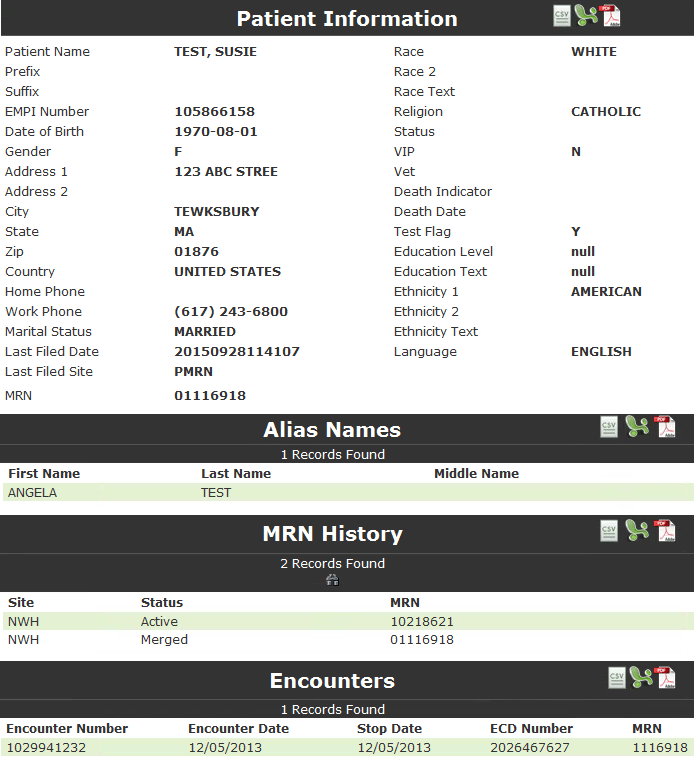
The Partners Patient Information view is displayed on selection of the patient record from the search results, and once the record is selected, is also accessible from the green flyout menu. The standard view includes 3 sections: Partners Patient Info, Alias Names, and MRN History. Depending on the application, the page may include a table of links to encounters, visits, accounts, etc. The example below is a test patient record in the NWH Soarian application in LDA.
Audit Reports (internal LDA)
For additional information, including use of the PHS Audit utility, see LDA Auditing.pptx
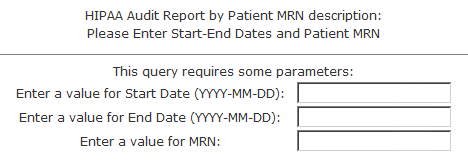
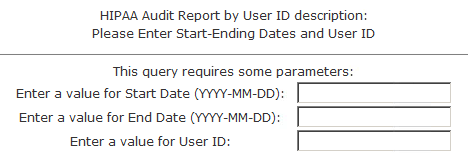
Each application with PHI or restricted information must include queries for Mass General Brigham Privacy Officers to determine who has accessed the LDA information. There are three (3) Mass General Brigham standard security audit reports:
Name |
Query Parameters |
HIPAA for Date Range by Patient MRN |
|
HIPAA for Date Range by User |
|
Mass Health |
|
Security Reports
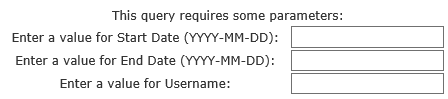
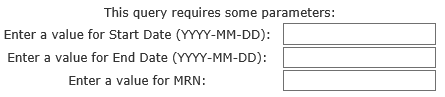
There are three (3) Mass General Brigham standard security audit reports:
Name |
Query Parameters |
Security Audit Report by User Name |
|
Security Audit Report by Patient MRN |
|
Security Audit Report by Date |
|
Itemized Statements
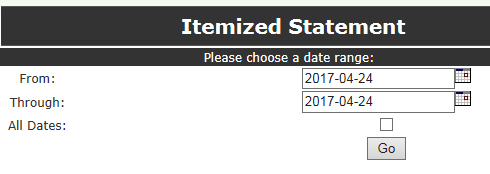
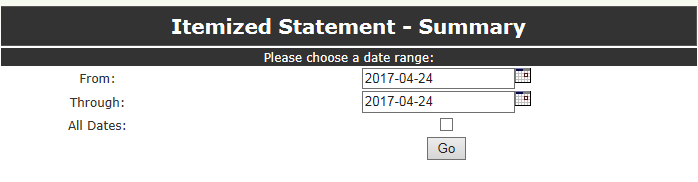
Interact queries can be developed to generate reports with grid and/or non-grid formatting; these are available only at the record (patient or employee) level. Partners LDA has used this capability to provide itemized statements for patient billing legacy applications, such as NWH Soarian and MGH Patcom.
|
With the current version of Internet Explorer (IE11), generating an Itemized Statement blocks the Search options. To fix the problem, click to select any item from the green flyout menu after generating an Itemized Statement. |
Name |
Query Parameters |
Detailed Itemized Statement |
|
Itemized Statement Summary |
|